
AI quotes and follow-ups for beauty, local services, events and freelancers
Turn a client message into a clear, professional quote
QuotePilot helps service businesses qualify enquiries, prepare polished quotes and follow up before the client chooses someone else.
01
Client message
02
Editable draft
03
PDF quote
New leads
—
Quotes
—
Win rate
—
Follow-ups
—
AI quote wizard
Follow-ups
Today: bridal makeup
Tomorrow: office cleaning
In 3 days: photo package
Interactive example
Client message → structured quote
Choose an anonymous scenario and see how the input can become an editable draft. All prices are illustrative.
“I need bridal makeup with travel for three people on 18 July near Warsaw.”
Anonymous example - no real client data
Bridal makeup package
Confirm before sending
- What is the exact address?
- Should the package include a trial?
Real PDF file
Generated by the same module used inside the app
The document contains an example company, items, tax, totals, validity date and terms. It contains no personal data.
Open sample PDF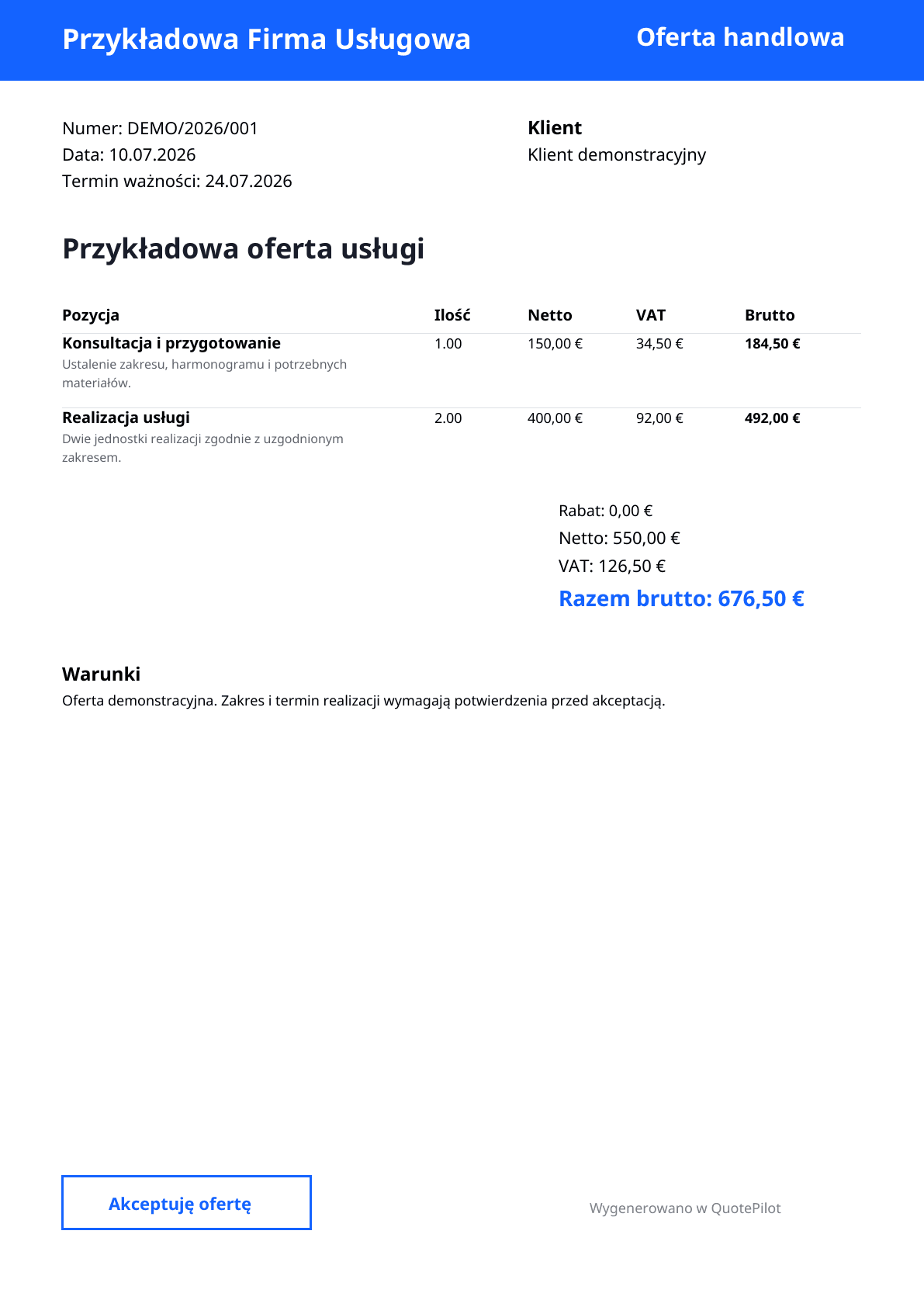
Product flow
From messy message to ready quote
Paste message
SMS, WhatsApp, form or call transcript.
AI extracts data
Scope, risks, gaps, questions and next step.
Edit quote
Items, tax, discount, validity and terms.
Send and follow up
PDF, WhatsApp copy and automatic reminder.
For service businesses
For beauty, home services, events, consultants and local specialists
QuotePilot is not a booking system. It is the layer between the first message and a paid decision: qualification, quote, PDF and follow-up.
Beauty
Bridal, salon and mobile beauty services that need fast qualification before booking a slot.
Home services
Local crews and technicians that price jobs from photos, addresses and scope details.
Events and creative
Service pros who sell packages, dates and deliverables before the client compares offers.
Personal services
Consultants and specialists who turn short enquiries into clear paid service proposals.
Use cases
From enquiry to quote across many services
The same workflow works whenever a client sends a messy message and expects a fast, professional answer.
Client asks on Instagram about makeup with travel for three people.
Company asks for regular cleaning but misses area, frequency and access details.
Couple asks for wedding photos and a short video with unclear hours.
Faster replies
The client gets a concrete answer while comparing contractors.
Less chaos
Leads, quotes, PDFs and follow-ups stay in one place.
More professionalism
Every reply has structure, terms and a clear next step.
Pricing
Clear plans for growing service businesses
Start with a small quote volume and upgrade when AI, follow-ups and higher limits start paying for themselves.
AI creates real operating costs, so access is limited by plan. Quote and AI limits renew every month.
Trial
0 EUR
7 days
- 7 days
- 3 quotes per month
- 3 AI generations per month
- PDF offers
- No card required
Basic
19 EUR
per month
- 30 quotes per month
- 20 AI generations per month
- PDF offers
- Leads
- Services
Pro
49 EUR
per month
- 150 quotes per month
- 300 AI generations per month
- AI quote wizard
- AI follow-ups
- PDF offers
- WhatsApp copy and link
Team
99 EUR
per month
- 500 quotes per month
- 1000 AI generations per month
- AI follow-ups
- Company profile
- Higher limits
FAQ
Frequently asked questions
Does the AI quote wizard work right away?
Yes. QuotePilot prepares a useful quote draft from the information you provide, while plan limits still apply.
Can I send a quote through WhatsApp?
Yes. QuotePilot prepares a ready-to-send message and a WhatsApp link so you stay in control of the conversation.
Can it generate PDFs?
Yes. The PDF includes company, client, line items, totals, terms and an acceptance line.
Who is it for?
Beauty professionals, local service teams, event providers, consultants and freelancers that receive enquiries and lose time writing quotes manually.
Does AI send a quote automatically?
No. AI prepares an editable draft. The user reviews scope, prices, tax and terms before saving or sending anything.
How is account data protected?
Each user signs in to a protected account and can access only the company they belong to. Enter only information needed for a quote.
Can I cancel a subscription?
Yes. Manage a website subscription in Plan and billing, or an Android subscription in Google Play.
Can I export or delete my data?
Yes. Download an export or start account deletion from Settings. Cancel any active subscription first.
How do plan limits work?
Each plan includes monthly quote and AI allowances. Current usage is always visible in the application.
Build your first structured quote
Create an account, paste a client message and prepare a polished quote faster.